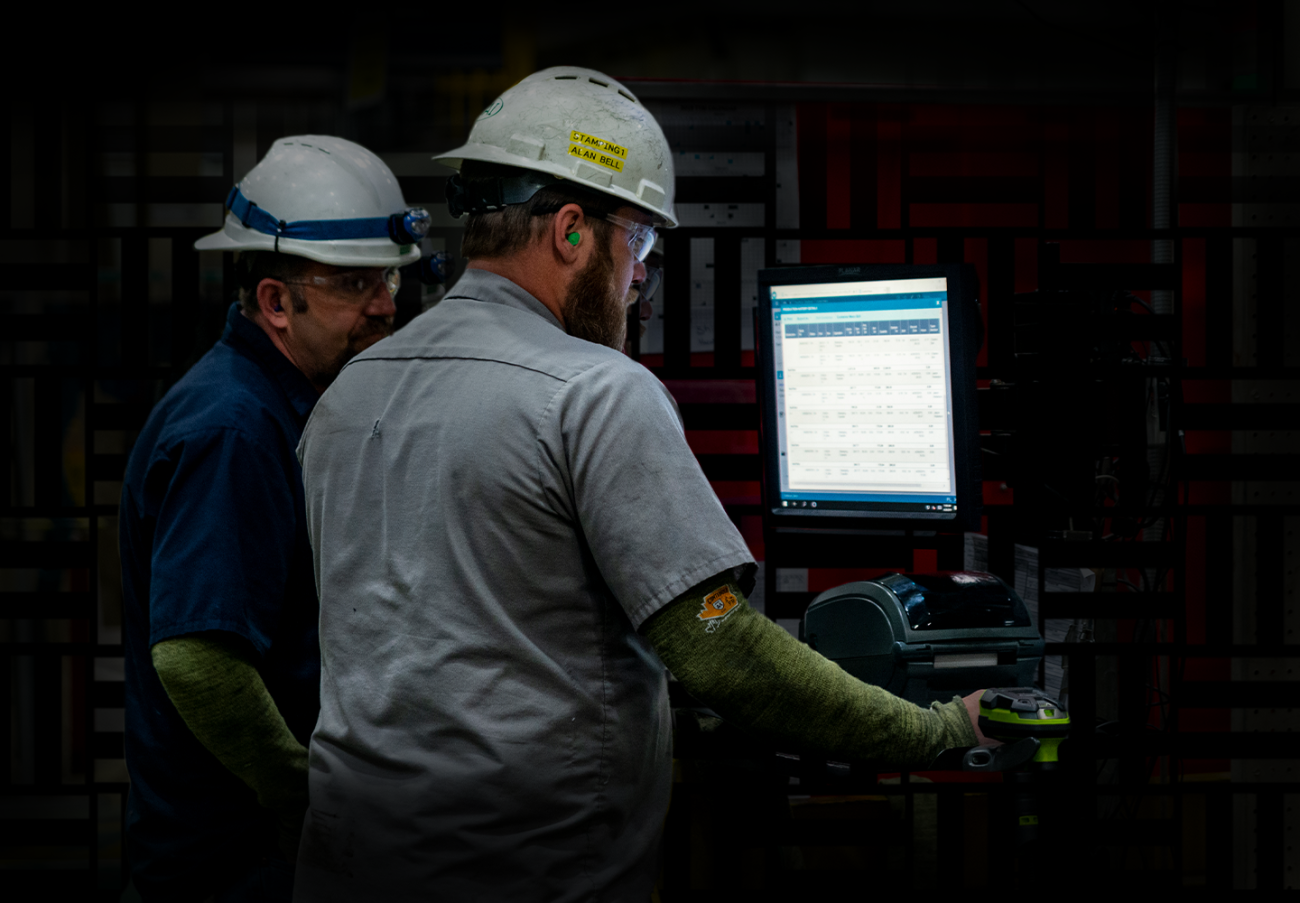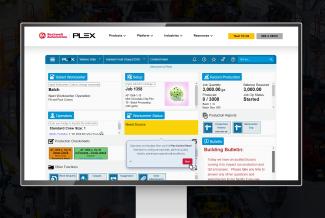
Plexus Online provides an extremely strong Shop Floor Control System (also known as Manufacturing Execution System (MES)). Many ERP software companies claim to support manufacturing companies, but they do little more than accounting, order entry, and other office tasks. They are not suitable for use on the shop floor and they provide little value to the manufacturing department. Many manufacturers indicate that traditional ERP software actually hinders manufacturing, rather than helps it.
Plexus grew up in the manufacturing industry and has always been, first and foremost, a manufacturing execution system. This is one of our primary focus areas and often noted as a major differentiator between us and our competitors.
Our full MES solution includes job/production management, process instructions, production scheduling, ultra-detailed real-time inventory control, tool tracking, production tracking, traceability and part genealogy, labor tracking, PLC machine integration, and much more.
Plexus Online includes the following base requirements for an Manufacturing Execution System:
Simple, easy-to-use design for use by shop floor personnel
Real Time
Online
Built-in Bar Code Labeling
Built-in support for mobile/wireless handheld units
Built-in integration with machine PLCs
Built-in integration with weigh scales, packaging machines, and other equipment
Plexus Online MES includes the following modules:
Engineering
Part List This module provides a master list of Parts, including all associated part data, such as Part Description, Part Type, and Revision. This modules also provides an easy-to-use mechanism to upload small digital photos of each part. The Part List also provides links to many other areas of the system, where applicable, such as Key Part Dates, Customer Part Numbers, APQP Checklist, Inventory, Shipment History, Problem History and so on.
Process Routings A process routing is the series of steps required to manufacture or process a given part. This module defines those steps. Includes the Operation Number, Operation Name, Approved Workcenters and Suppliers, Crew Size, Weight, Container Type, and other key routing data.
Bill of Materials This module defines the components that make up a part. Plexus Online supports infinite levels of BOM. It provides indented BOM, exploded BOM, drilldown BOM, and a variety of other methods for visualizing and editing BOMs. Plexus Online handles BOMs with just a few components, or many thousands.
Multi-Out Production Identifies and controls manufacturing processes where multiple different Parts are produced from a single Operation. This is a critical capability for stampers, multi-part die forgers, injection molders, and other manufacturing processes. Plexus Online also supports a die cavity status which allows machines to run some of the cavities, but not all the cavities.
Customer Part Numbers This module provides the ability to store and manage one or more Customer Part Numbers for each internal Part. Includes Revision Level, Revision Date, Customer Program, Estimated Annual Volume, and other pertinent data about each Customer Part No.
Manufacturing Masters This module is used to tie together and manage a long manufacturing process that involves a complex interconnection of parts, routings, BOM and Multi-outs. For example, this will schedule the component parts of an assembly.
CAD Integration Plexus provides a special feature within your CAD system to number and name each Dimension on the Part Drawing. Then, whenever the drawing is saved, it synchronizes the dimensions and their tolerances to the Part Specification List in Plexus Online, which in turn drives the Control Plan, Checksheet, and data collection systems. The CAD Integration subsystem saves you from having to type dimensional data into Plexus and adds a high-degree of advanced integration between Engineering, Quality and Manufacturing.
Currently in use with AutoCAD 2004. Will also work with other CAD systems such as SolidWorks, CATIA, Unigraphics, Pro/Engineering, and so on.
Heat Treat Parameters This module provides a formal structure for storing Heat Treat parameters and settings for each Part.
Materials
Raw Material Specification This module is used to define detailed chemical and physical specifications for materials, such as steel, aluminum and other metals. Includes user-definable specification templates. Provides capability to link multiple materials to a part, and multiple parts to a material.
Raw Material Receiving Provides the ability to receive and tag incoming raw material. Also includes Receiving Inspection Checksheets, Heat Chemistry Actuals, and Evaluated Receipts (automatic creation of AP records).
Heats & Chemistries This module is an advanced version of the standard receiving system. It is designed to receive raw material that has been defined with the Material Specification system. It validates the chemistry and physical characteristics of incoming materials against engineering specifications. It also creates inventory records and bar coded labels for each bundle, coil or container being received.
Heat Traceability Building on the inventory tracking system, Heat Traceability provides the ability to track, identify and instantly trace the Heat No of all inventory.
Part-Materials (BOM) This module provides a mechanism for specifying a list of Raw Materials that can be used to make a Part. Similar to a typical Bill of Materials, but it's geared specifically toward Raw Materials, so it also includes Gross Weight, Multiples, Cut/Piece Length, Primary/Optional, and other features.
Inventory
Inventory Tracking This Inventory module provides the ability to track individual containers or individual parts on the shop floor. It is designed for manufacturing facilities, especially part manufacturers, tool shops and other situations where detailed, real-time tracking is required. Each container or part is bar coded with a unique serial number used for tracking and traceability. Each inventory record includes Serial No, Part Number, Location, Status and other pertinent data. Inventory records can be seached and summarized for as required to provide real-time inventory reports. The inventory module is the foundation for many other modules, including Production Tracking, Heat/Lot Traceability, Tool Life Tracking, and Scheduling.
Advanced Parts Traceability & Product Genealogy The normal inventory system provides a high level of container level detail, information and change history. However, where full process traceability is critical, we recommend the Advanced Inventory Traceability Module. This module automatically tracks the complete genealogy of all inventory containers, providing both an upstream and downstream trace, even in complex assembly and manufacturing environments. This is ideal for tracking down and isolating all parts created from a defective lot OR tracking down exactly who/what/when/where a defective part was produced. This module is used extensively in the Automotive and Aerospace industries where traceability is critical.
Physical / Cycle Inventory The Physical Inventory System is used to manage and conduct on-going, location-based cycle inventories using RF handheld terminals to scan bar coded inventory tags. Cycle Inventory Management is a well-known and accurate method for maintaining accurate inventory counts over time. This module is also used to conduct plant-wide physical inventories.
Subcontract Shipping/Receiving This module is used to ship inventory out to processors, track its processing, then receive it back in to the building. Highly integrated with Inventory and Supplier Modules.
Customer/Consignment Inventory This module gives you a powerful and flexible system for setting up Consignment Inventory and Automatic Replenishment. Its use can be extended online to your customer, and/or it can be used internally.
Each Part/Ship_To combination can be user-configured with various settings to achieve the desired behavior. The invoicing, inventory retirement, and replenishment (auto-creation of new releases) can be setup to automatically occur at time of shipment, customer usage, or never. The Replenishment Method can be set to "Straight Replenishment" OR "Min Level Replenishment".
Lot Tracking Building on the Inventory Tracking System, the Lot Tracking module provides the ability to identify and track an internal production Lot No for all inventory. See also Heat Traceability system.
Scrap Tracking A comprehensive system for tracking and analyzing scrap within the company.
Rejection Tracking The Rejection Tracking module provides a sophisticated and full-feature system for tracking and analyzing rejections, sorts, reworks, scrap, and all the complexities associated with these on the shop floor.
Serialized Individuals Inventory This module tracks individual serialized items, rather than containers. Especially powerful when a high degree of quality, inventory, and cost tracking is required on individual items.
Container Types This module provides a master list of inventory container types, including Container Type Code, Customer, Customer Part No, Tare Weight, Cost, Customer Owned, and EDI codes.
Returnable Container Tracking This module is used to track returnable and other types of containers and packaging. This module will automatically maintain a running count of containers (by type) and send email at a designated Minimum point to warn you that you're running low. This module can also be configured to record all transactions (ins/outs) for a specific Container Type, which is ideal for tracking the receipt and shipment of Returnable Containers, containers that are purchased from or charged to the customer, and other types of containers and packaging.
Inventory Location List This module provides a mechanism for establishing a master list of all physical locations on the shop floor, such as machines, specific storage locations, shelves, quality hold areas, and so on. The Location List also includes external locations where inventory may be stored, such has Subcontract Suppliers and Warehouses. The Inventory Location List is critical to the Inventory Tracking Module and the Cycle/Physical Inventory System.
Production Tracking
Production Tracking The Production Tracking modules provides tracking of machine production, including detailed and summarized reports. Highly integrated with Inventory, Tool Tracking, and Scheduling.
Control Panel A simple-to-use, yet powerful user interface for shop floor personnel to track and control machine status, labor hours, production, inventory, tooling, and much more.
Workcenter Tracking The Workcenter Log provides a detailed history of all events that occur at a machine, including all production, maintenance and downtime. This module provides reports on uptime, availability, OEE, and machine efficiency. This module draws upon several other key modules in order to provide an overall view of the work center, including Production Tracking, Inventory, Labor Tracking, Tool Life Tracking and Control Plans (Inspection Instructions).
OEE Reporting This subsystem provides automatic, real-time reporting on OEE, which stands for Overall Equipment Effectiveness. The OEE is a combined indicator of Quality, Performance and Availability of production workcenters and is used throughout the manufacturing industry as a standard gage of effeciency.
Workcenter List This module is used to establish a master list of Workcenters or Machines within the company. Provides the foundation for Production Tracking, Scheduling and other modules.
Shift Setup A base module necessary for setting up workcenter or labor shifts, including Shift Name, Time, Lunch, Breaks, and other details.
Job Tracking System This module is used to track Jobs and Work Orders within the manufacturing facility. It depends on the situation, but usually a Job represents an instruction to the shop floor to produce a certain Quantity of a certain Part Number by a certain Due Date. The Job Tracking system is the foundation for production scheduling, and can be used for simple scheduling on its own. Highly integrated with Inventory, Customer Orders, and several other modules. Nomenclature and specific requirements vary across facilities, and can be fully accommodated: Jobs, Work Orders, Shop Orders, Shop Travelers, Releases, etc.
Job Templates Certain Jobs are marked as a Templates.
There is a "Add Job from Template" capability, which gives a list of templates to select from. The system then creates a new job by copying the template job, including the Job record, Job BOM, Job Routing, Job Material, etc.
Job Sets This module is used to track a collection of related jobs. Often times there are many component parts, each of which has a routing, and is made up of other component parts, and so on. This provides a mechanism for bringing all these smaller jobs together.
Job Tracker A simple-to-use, yet powerful screen for shop floor personnel to retrieve instructions, track activities, and record production against jobs as they are processed.
Job Clock This module provides an easy-to-use screen for collecting labor cost against jobs, providing online shop floor job instructions, and handling the installation of components into jobs. Designed as a touch screen application for shop floor use.
PLC/Machine Integration, Settings/Recipes (SCADA) The Machine Settings module is used when production machines are electronically connected to Plexus through the machine PLC. This module stores, organizes and controls all the settings that are downloaded to the machine at setup time.
Shop Assignment screen The Shop Assignment Screen provides an "airport" style information screen that displays each employee's assignment for the day.
Heat Treat Manager This module provides a record for planning and recording Furnace Loads in a Heat Treater. Helps the user select inventory to be placed in the furnace (based on similar heat treat parameters), and also maintains a history of all heat treat data, such as Temperature, Time, Quench, etc.
Material Control Manager This is a specialized, and highly-sophisticated module for managing a department of machines that process ingots or bars into smaller pieces (cut, saw, sheer, etc). It looks at required Jobs that need to be fulfilled, available material stock, material position in the yard, and many other requirements in order to optimize and then execute the most efficient schedule.
Weigh Scale - Integration Many companies use weigh scales to measure the quantity of parts in each container. This Plexus Online module retrieves electronic data from the scale in order to eliminate the need for data entry.
Setup Tracking (SMED) The Setup Tracking module provides a place to record Workcenter setup times and issues, including detailed data on reasons for setup delay. This module is used as a tool to help shorten setup times and improve setup consistency. It is often used in association with a Single Minute Exchange of Die programs(SMED). This module is usually used in a stand-alone mode. The other, more preferred, option for setup tracking is to use the Control Panel and the Workcenter Log.
Shop Screen A Shop Screen is a map of the shop floor that visually depicts work centers and storage locations. Work Center status is indicated by its color: green for production, red for maintenance, etc. Clicking on the Work Center pops up details regarding its current status. Shop Screens are used by production personnel, the maintenance department, tool setters, and executive management to gain an overview of what is happening on the shop floor. The Shop Screen is also used to change the status of the Work Center (which automatically creates a record in the Workcenter Log), track labor hours and move inventory. (Plexus has Patented the Shop Screen concept)
Quality
Part Specifications This module is used to establish and maintain a detailed list of dimensions and characteristics on specific parts, including Dimension Name, Target Value and Tolerance.
FMEA The Failure Mode & Effects Analysis module provides the ability to create, edit and view QS-9000-compliant FMEA's on screen, including Design and Process FMEA's. FMEA's are developed at the beginning of the project to address the following questions: 'What can go wrong? What will happen if it does? What controls do we have in place to detect it if it does? How should we improve the part or process?' Some companies use 'Common FMEAs' that cover a whole range of processes in a generic fashion. Other companies establish one or more FMEA's for each part. FMEA's are a requirement of QS-9000.
Control Plans The Control Plan module provides the ability to create, edit and view Control Plans and detailed Inspection Instructions on screen. Some companies create one or more "Common Control Plans" to cover a whole range of processes in a generic fashion. Other companies establish a detailed Control Plan, breaking down each dimensional Specification at each operation. Control Plans include the Sample Frequency, Gage, type of Control chart, and other quality-oriented data. Control Plans are a requirement of QS/ISO-9000. The Control Plan is highly integrated with the Part Specification system.
Dynamic Control Plans The Dynamic Control Plan module combines the benefits of specification-level Control Plans with the Process FMEA methodology, Gage R&R, and Cp/Cpk. DCP's are a requirement of AIAG/Ford.
Checksheets & Process Instructions Powerful subsystem for authoring process instructions and checksheets. Fully integrated with and driven from the Control Plan system.
Inspection Data Collection An extension of the Checksheet system that allows the user to enter inspection data directly into the onscreen Checksheet, validate it against the spec limits, and store that data in the Plexus Online database.
SPC This module provides the ability to collect in-process inspection data and to conduct Statistical Process Control. It also handles Capability Studies, Dock Audits, Part Layouts, Final Inspection Sheets, PPAP Inspections, and Special user-defined checks. It performs all statistical calculations such as standard deviation and Cpk and it prints a variety of charts, such as Histogram, Average and Range, Run Chart, Individuals Chart and more. This system is highly integrated with the Part Specification, Control Plan, and Gage Control Modules. SPC is generally a requirement of ISO/QS-9000.
As an alternative to traditional software, there are an increasing number of SPC systems available through the Internet. They range from simple Control Charting utilities to comprehensive quality solutions. The Plexus Online system integrates all aspects of managing quality, including full continuity between the Part Characteristics, FMEA, Control Plan, Process Instructions, Inspection Checksheets, and SPC Control Charting. Once the user sets up the Control Plan, the system uses that data to automatically create the Inspection Checksheets, and drive Control Charts. This establishes a seamless link from the part characteristic, through the ISO quality documents, and to all inspection data. The system also provides modules for Gage Control, Corrective Action, APQP Tracking, Supplier Quality Management, and many other areas.
Electronic Gage - Integration Extension of the Checksheet and Gage modules that allow users to connect electronic gages to Plexus Online in order to eliminate manual data entry.
Problem Control Also known as Problem Reporting and Resolution (PR/R), Corrective Action, Customer Concern Log, and a variety of other names. This module is used to record, track, follow-up on, resolve and report upon problems and concerns within the company. It includes forms for the 8-Disciplines of Problem Solving, Corrective Action, Supplier PR/R, Customer Concern, and more. This module provides the ability to assign one or more actions for Containment, Correction, and Prevention of problems. Problem Control is a requirement of ISO/QS-9000. This system is often used in E-Communication, to assign problems to suppliers, who then use the system online to respond to those problems.
Deviation Tracking A module for tracking approved deviations from engineering dimensions/specifications during the manufacturing process.
Defect Log Tracking of Production Defects Related to Serial No
Scheduling
Production Requirements Planning (PRP) Evaluates Customer Releases, current Inventory levels, and Min Inventory points, in order to recommend production.
Sequence Board - Production Scheduling A visual schedule board that displays the Production Runs scheduled into each Workcenter. Each Production Run includes Part No, Operation, Quantity, Raw Matl Availability, Tooling Availability, Due Date and Note. The Schedule Board represents the short term queue of production runs that are scheduled into the machine.
Pull Scheduler This module is used to analyze inventory levels, Minimum Restock Levels, Daily Pulls, and Lead Times in order to recommend and create production jobs and maintain required stock levels. Often used as an electronic pull system.
Workcenter Calendar Visual calendar of each Workcenter's work schedule, including production, maintenance, off hours, etc.
Advanced Production Scheduling (APS) A comprehensive, ultra-detailed, and fully automatic Finite Scheduling system. Includes visual representations of jobs and workcenter loading.
Kanban Scheduling The Kanban system can be used to augment or replace conventional scheduling. Based on the Toyota Production System, this methodology is especially useful for optimizing the production flow of a small number of high-volume, repetitive parts.
Material Requirements Planning (MRP) This module is used to analyze Customer Orders, Raw Material Inventory Levels, Minimum Restock Levels and Lead Times in order to recommend and create releases with suppliers. Similar to traditional Material Requirements Planning (MRP).
Capacity Planning This module provides reports for analyzing the current and future load on production workcenters.
Tool Tracking
Master Tool List This module is used to establish a master list of tool numbers, and the pertinent data about each tool number, including Revision, Material, Supplier(s), Min Quantity, Order Quantity, and so on. The Master Tool List is the foundation of the overall tooling system. It also provides links into Tool Inventory, Tool Manufacturing, and the other tooling-related modules.
Tool BOM / Assemblies A List of the tools required to produce each production part at each operation and workcenter. Distinguishes machine-specific tools (adapters) from the tools used regardless of machine (forming tools). Provides the foundation for the Tool Sets module, which tracks the physical instances of each assembly. This module also provides the foundation for tool-staging reports, which compare available inventory to the tooling required to fulfill the production schedule.
Tool Inventory A list the physical instances of the tools listed in the Master Tool List. Uses barcoding to change the location of the tools, and provides a detailed log of every move, production run, and repair performed on a given tool.
Tool Life Tracking Tool Life Tracking including reworks and total tool life, a closed-loop Tool Failure response system, Tool Cost Improvement System, Failure Mode Analysis, and more. Although this module can be used for any situation where tool tracking is required, it is especially strong for forging and stamping companies. For a lighter version of Tool Tracking, the Supply Crib Management System could be used instead.
Tool Failure Tracking & Analysis Most tools go through a cycle: they are created, used, and re-worked. This cycle repeats until the the tool is scrapped. While this process is normal, it represents a significant portion of a manufacturer's total operating expense. Reducing this expense requires an understanding of which tools cost the most and which ones cause the most production stoppages. Using standard cost and standard (expected) tool life, this module provides tool managers with a detailed Pareto Analysis of total costs per tool and actual life versus standard life. Total costs contribute directly to the bottom line, and unexpected tool failures contribute indirectly to total costs by disrupting the manufacturing operation. Whether attempting to reduce direct costs or increase tool life, this module provides the list of tools that demand immediate attention -- A time-tested technique for chipping away at total tooling costs.
Tool Set Tracking (Die Tracking) A Tool Set is a collection of Details. A Tool Set may be a complete "Die" that is tracked over time, or it may be a temporary collection of loose tools that have been staged to go into the press. Each Tool Set (Die) is uniquely identified and tracked with a bar code. The system automatically maintains a detailed log of everything that happens to each Tool Set (Die).
Die Maintenance This module allows you to establish a Preventive Maintenance schedule for each Die (Tool Set). You can define various events (Clean, Refurbish, Rework, etc), each with its own checklist of tasks that need to be completed. The required frequency of these events for each Die is setup by Production Quantity and/or Calendar Days. The Production Quantity on the Die is counted automatically by the Production Tracking Module. In addition to PM, shop users may also request special Die maintenance on an as-required basis when special work is required. The module provides a Priority Report of the maintenance that is due, and a detailed log of all the maintenance that has been done.
Die Maintenance Labor Tracking This module allows shop users to track their maintenance time against specific Dies (Tool Sets). Provides reports of total cost of Die Maintenance, by Die, Part, etc. Fully-integrated with the Actual Costing and Time & Attendance System.
Tool Requirements Planning Compares tooling inventory balances to the tooling minimum requirements and recommends a quantity to be ordered.
Online Tool Releases This module provides Web-based communication of releases to Tool Suppliers. Suppliers view the online releases screen to see the releases that have been issued to them. They then commit or reject those release dates/quantities. When they are ready to ship the tools, they use Plexus to print out a bar coded shipper ahead of time, which is then delivered and received with the tools. This module facilitates a high-level of real-time communication with your tooling suppliers. This is a very fast and simple way to replace the need for paper releases, EDI, and constant phone calls to the supplier. It also streamlines your receiving process. Because the incoming shipper is bar coded and pre-received, the receiving process is very fast and accurate.
Tool Manufacturing The Job Manager forms the center of this system, displaying the list of all open jobs and enabling managers to prioritize existing jobs and create new ones. The Operator Control Panel shows the list of tools at a given operation on the shop floor. This is where operators use touch screens to easily clock in and out of the jobs they work on so as to provide detailed labor tracking. When tools complete the last step of the process routing (usually an inspection), they become eligible to be moved to a press. If a tool revision changes during production, that tool job is automatically placed on hold. Additionally, the "Tool Projects" module is a Godsend for any tool manager who has ever spent hours trying to track down the status of a group of tools required for a special customer project. View all active tool projects by customer and due date and provide detailed reports of the tools, tool statuses, and tool locations by customer and customer part number.
Tool Mfg - Subcontracting This module is used for tracking the outsourcing of certain operations when making tools, such as plating and heat treating operations. This module is used in conjunction with the Tool Manufacturing system. It helps tool room personnel know what is ready to ship out, it prints shippers, moves inventory, and manages due dates. Upon return, the system receives the inventory back in, automatically updates Work Order location/operation, and automatically creates a PO/Receipt in purchasing, including specialized blanket order pricing based on supplier, surface area, weight, and/or $/pc.
Tool Control Plans Tool Inspection Control Plans. Enables the inspection function to associate drawing attributes with tool manufacturing processes. Provides the ability to mark a given attribute as required for the various tool job types: New, Rework, and Revision Change.
Tool Inspection Checksheets Collects and stores the actual tool measurements required by the tool control plan. Fully e-Commerce ready, external tooling suppliers can log in and take online tool measurements. This dramatically increases supplier accountability.
Tool Orders The Tool Orders module is used to enter and track customer orders for tooling. Includes feature for managing, scheduling, and invoicing tool orders.
Additional Modules
Key Measurables A flexible system for setting up, tracking and communicating company performance against a set of management-defined Key Measurables. Ideal for strategic management.
Report System A powerful and flexible master reporting system, which provides Main Company Reports, user-definable Report Favorites, and a centralized menu of all reports.
Ad Hoc Query Tool to allow users to create custom queries on database views.
Issue Management A simple-to-use system for recording and maintaining focus on issues within the company.
Document Control System The Document Control module provides the ability to store, edit, track and view documents on line. Includes full electronic approval and revision tracking system ideal for ISO/TS 16949. Supports many file types, including Word, Excel, Powerpoint, AutoCAD, PDF, HTML, and more. This module is usually used to control the Quality Manual, Procedures and Work Instructions. It is also used for the Employee Handbook, Supplier Handbook, and Technical Documentation.
Shop FloorE-Mail Plexus Online can provide email services to its users. The user has the option to use the built in Plexus Online email client, which provides a basic hotmail-like User Interface, a high degree of integration with the rest of the system (such as Employees/Contacts), and accessibility from any Web Browser in the world. The user also has the option to use a traditional PC-based email client, such as Outlook, Netscape or Eudora, which provide more independence and flexibility in the user interface.
Bulletin Board With the bulletin board you can get a general notification to the people in your enterprise or out to your suppliers.
Keep them updated on:
- Changes
- Events
- Notifications
- Upload a document for notification and viewing
Integration
PLC/Machine Integration, Settings/Recipes (SCADA) The Machine Settings module is used when production machines are electronically connected to Plexus through the machine PLC. This module stores, organizes and controls all the settings that are downloaded to the machine at setup time.
Weigh Scale - Integration Many companies use weigh scales to measure the quantity of parts in each container. This Plexus Online module retrieves electronic data from the scale in order to eliminate the need for data entry.
Equipment Integration
Integration with existing systems Plexus can be integrated with other systems that are either new or legacy. We have successfully implemented a variety of methods, including uploading/downloading ASCII files, automatic batch processing of FTP files, real time XML transactions, and more.
Advanced Technologies
Bar Coding Plexus includes fully-integrated bar code printing and reading capability in many areas, including Inventory, Gage Control, Time and Attendance, Locations, and User Login Cards.
Wireless Networking Plexus Systems can setup new wireless networks and/or configure Plexus Online to function on your existing wireless networks. Wireless Networks allow users mobile access to Plexus Online through handheld devices, pen tablets, wireless PCs, and other equipment. Also see the Pocket PC Module Group.
Touchscreen Functionality All Plexus Online screens are functional with a touchscreen. Certain screens, such as the Control Panel, are designed specifically for this purpose.
RF ID This module enables Plexus Online to utilize RF ID technology. RF ID technology is a form of Auto-Identification whereby a minature tag is attached to each item. The items are tracked automatically using readers that are placed at key points throughout the plant. One of the key advantages of using RF ID Tags over bar codes is that the tags are read and detected automatically, updating the Plexus database instantly, without humans having to remember to scan the bar code. Die Tracking is a good example of using RF ID Tags. The system would confirm that the right Die is in the press before allowing production to be made. Other applications include Inventory Tracking, Customer Shipping, Receiving, Time and Attendance / Labor Tracking, Supply Crib Management, and so on.
Direct Part Marking This module provides support for Direct Part Marking, where individual pieces are identified and tracked with a unique symbol or code. Various technologies are available, including InfoGlyph, DataMatrix, Bar Coding, and others. Application technologies include laser, peening, and special labels. When traceability is critical, Direct Part Marking is a powerful tool.
Universal Attachment System The Attachment system allows you to attach files to records in the database. File attachments are used for Employees, Equipment, Gages, Orders, Problem Records, Customers, and many other areas. Attachments can be in any file type, including Word, Excel, Powerpoint, and digital photographs.
Automatic Email Notification This subsystem will allow Plexus Online to automatically notify users when certain events occur.
Cell Phone Notification This module will allow Plexus Online to automatically contact your cell phone when certain events occur.
Business Charts & Graphs Plexus Online provides a variety of charts and graphs throughout the various modules of the system.